


iDrive 7 Apps Activation: Custom Apps for Your BMW MGU Screen
Add a rev display, sport gauges, performance timers, a fault scanner, and more to your factory iDrive with our remote service
Important Notice
PURCHASE ONLY IF YOUR BMW HAS AN MGU (IDRIVE 7) HEAD UNIT. USE THE APPS WHEN PARKED OR ON A CLOSED TRACK, AND KEEP YOUR EYES ON THE ROAD.
Our iDrive 7 apps activation adds a package of 11 custom apps to the Apps menu of your BMW's MGU head unit. You get a full-screen rev display, live engine data, performance timers, a fault scanner, service information, and hybrid battery details on your factory screen. This is a digital service, so our technician installs everything remotely and there is no hardware to ship.
Why Choose iDrive 7 Apps Activation?
Your BMW reports far more data than the standard iDrive shows. These iDrive 7 apps bring much of it to the central display, including boost, fuel pressure, ignition timing, misfires, and tyre data, depending on what your car reports.
These BMW MGU custom apps run on the car's own app platform. They work with the iDrive controller and touchscreen, keep your settings and results across reboots, and can draw at up to 60 frames per second for smooth gauges. They do not need an internet connection.
Important Pre-Purchase Verification
This service is exclusively for BMW vehicles with an MGU (iDrive 7) head unit. It does not apply to NBT Evo, EntryNav, or iDrive 8 systems.
You MUST confirm your head unit before purchasing. The model alone is not enough, because the same model can have different head units across production years.
How To Confirm Compatibility:
Send us your VIN on WhatsApp
We confirm whether your car has an MGU head unit
During your session, the installer runs a read-only check and stops before changing any file if something is unexpected
iDrive 7 Apps Included in the Package
The package includes 11 apps. What each one can show depends on the data your car reports.
Performance iDrive 7 Apps
Displays for revs, gears, engine data, and timed runs.
Where To Use Them:
Do timed runs and hard stops only on a closed track. Results such as dyno power are calculated from the car's sensors, so treat them as estimates.
Vehicle iDrive 7 Apps
Tools for car health, service items, hybrid data, and parked entertainment.
Good To Know:
eDrive's battery and range pages are for plug-in hybrids and EVs. Freedoom saves and waits while the car is moving, unless you change that setting.
How the iDrive 7 Apps Activation Works
This remote ID7 apps activation is completed online. You will need a Windows laptop, an ENET cable, a battery charger, a stable internet connection, and TeamViewer.
Check: send us your VIN on WhatsApp so we can confirm your head unit.
Order: complete your purchase and arrange a time for your remote session.
Connect: park the car, connect the battery charger, and link your laptop with the ENET cable. We guide you through each step.
Install and test: our technician runs the check, installs the apps, and confirms with you that they appear under Apps.
What Your iDrive 7 Apps Do
Redline
A wide rev bar with digital rpm, a large gear display, a 12-LED shift-light bar, and a score for every upshift.
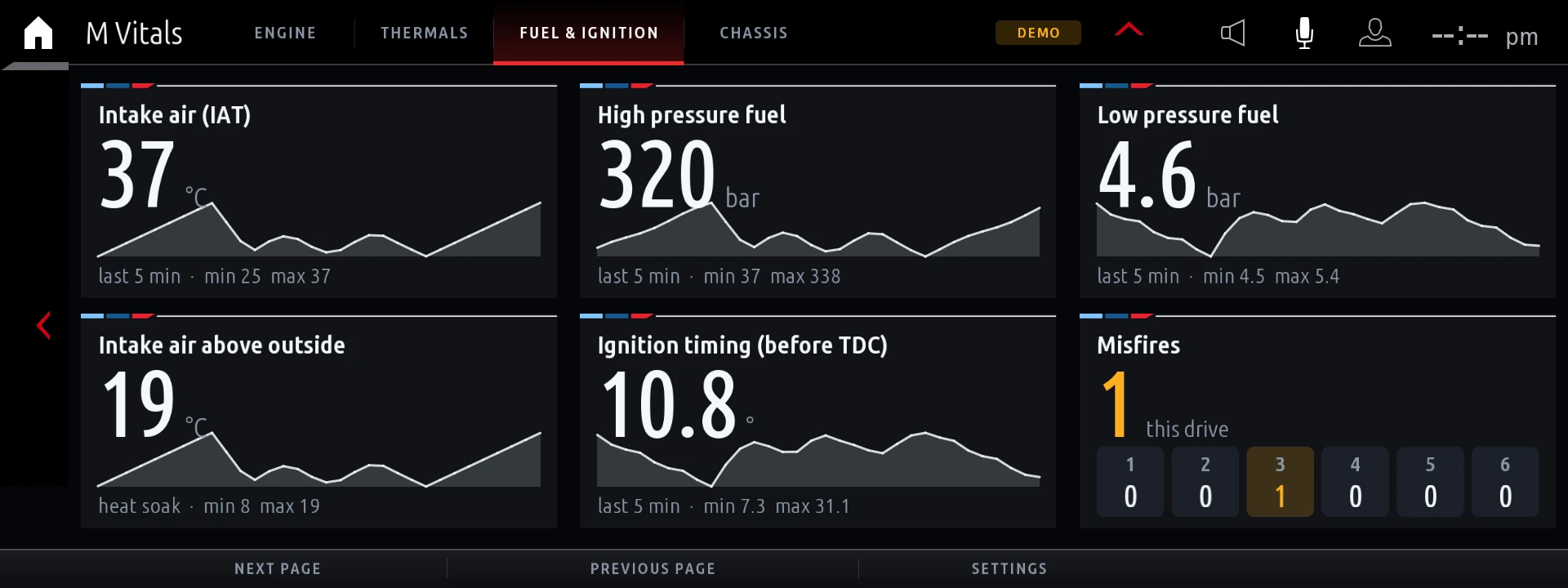
M Vitals
A sport cluster with rpm, boost, power, torque, temperatures, fuel pressure, ignition timing, misfires, and tyre data.
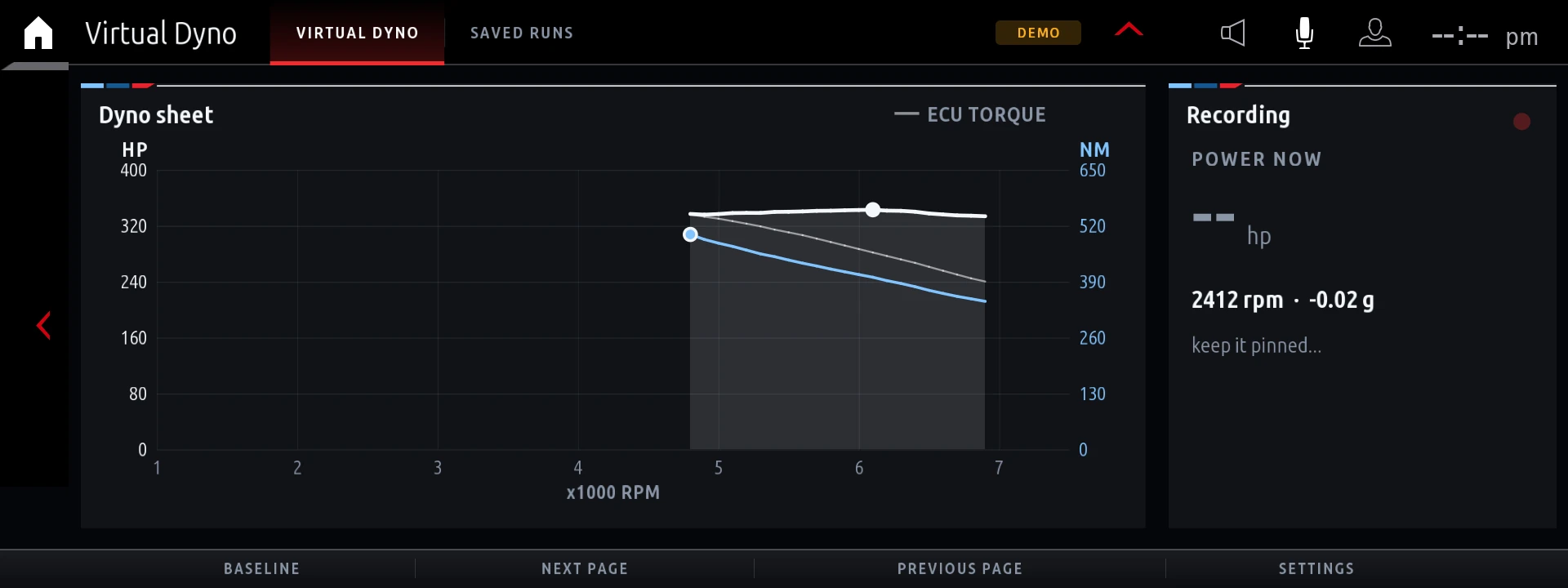
Virtual Dyno
Calculates a power and torque curve from a full-throttle pull in one gear, and saves each run.
Brake Test
Measures stopping distance, time, and peak deceleration, with a chart that compares your last stops.
Drag Timer
Times 0-100 km/h, 100-200 km/h, the quarter mile, and more, with a live speed trace and best times.
G-Force
Shows a friction circle with a fading trail, session peaks, and all-time records.
Warm-Up
Estimates when oil and coolant reach working temperature, with a safe rev limit and a turbo cool-down countdown.
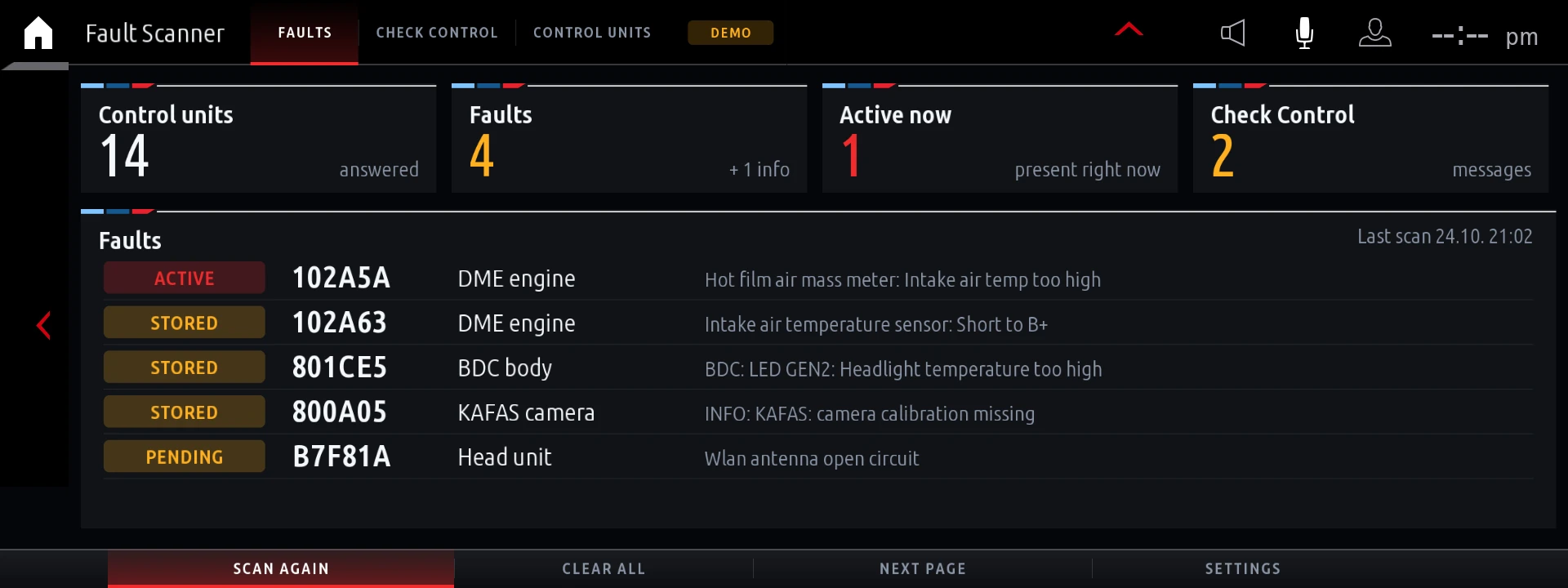
Fault Scanner
Scans control units for fault codes, lists them per module, shows Check Control messages, and can clear fault memories.
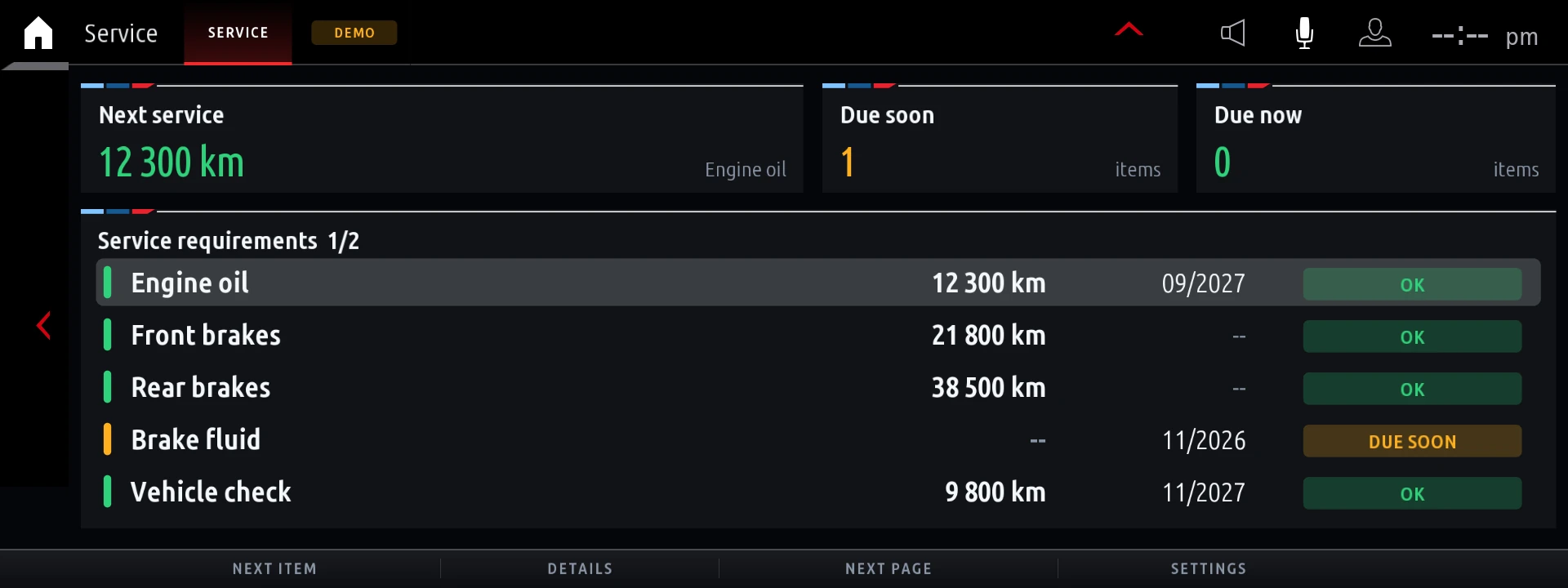
Service
Shows your car's service requirements, such as engine oil and brakes, with distance, date, and status.
eDrive
For plug-in hybrids and EVs: real electric range, battery health, and a charge log with cost.
Freedoom
A free first-person shooter played with the iDrive controller, for parked use by default.
Themes and Settings
Every app has four colour themes, unit options, and a settings screen in the iDrive's own style.
Frequently Asked Questions (FAQ)
Are these iDrive 7 apps made by BMW?
No. They are unofficial open-source community apps. Your payment covers remote installation, setup, and support. See the credits below.
Which BMW models support iDrive 7 apps?
It depends on the head unit, so send us your VIN first. The apps were developed on one MGU firmware, and other MGU versions are expected to work. The read-only check confirms this before any file changes.
Will every value show on my car?
Not always. The apps show the data your car reports, and they leave out items it does not report.
Can I use the apps while driving?
Use the apps when parked or on a closed track, and keep your eyes on the road. Follow the traffic laws where you drive.
What does the Fault Scanner clear?
It can clear the fault memory in every control unit, so write down the codes first. Clearing does not repair the cause. Control units may restart, and the head unit may reboot.
Can the iDrive 7 apps be removed?
Yes. A restore removes every custom app and puts the changed files back from the stock backup made during the first install. Contact us if you want them removed.
Will BMW software updates affect them?
After a firmware update, the apps are hidden until the install is run again. Contact us before you update so we can advise you.
What do I need for the remote session?
You need a Windows laptop, an ENET cable, a battery charger, a stable internet connection, and TeamViewer. We guide you through the connection.
Do iDrive 7 apps need internet?
No. They work offline, but they cannot unlock BMW's online services or fix a missing telematics connection.
Will this affect my warranty?
This service changes your head unit's software, and it may affect software-related warranty claims. If your BMW is still under warranty, consider this before you order.
Ready for iDrive 7 Apps on Your BMW?
Turn your factory screen into a rev display, a sport cluster, and a set of performance tools. Our team supports you from your first message to your final test.
⬇️ Confirm Your Head Unit & Purchase Now! ⬇️
Reviews
There are no reviews yet.