
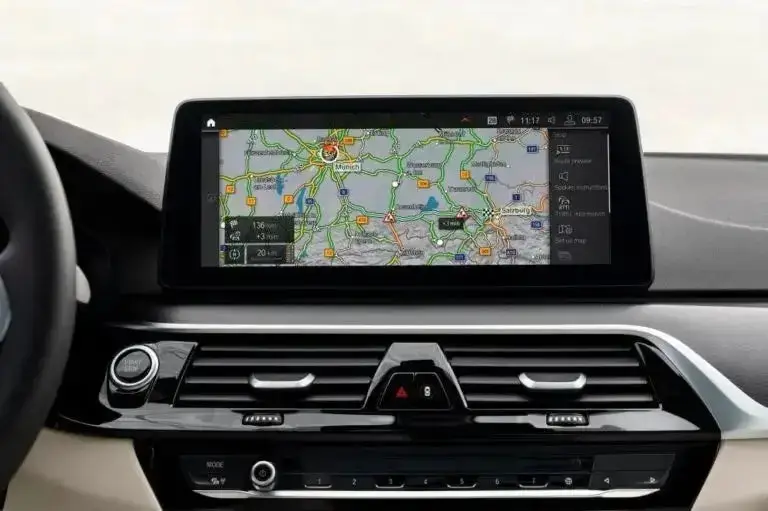
Professional Region Change for BMW MGU iDrive 7 Units
Unlock local maps, apps, and features with our safe MGU iDrive 7 region change service
Need to change the software region on your BMW’s MGU head unit with iDrive 7? Our MGU iDrive 7 Region Change service allows you to switch between key global regions, unlocking local maps, apps, and features specific to your new location.
Supported Region Changes
We support the following region change options for MGU iDrive 7:
Europe → USA
USA → Middle East
Europe → Middle East
Middle East → USA
Middle East → Europe
What You Get:
- A complete MGU iDrive 7 Region Change to your desired supported region
- Access to local navigation maps, apps, and digital services
- A safe process that avoids common bricking risks
What You Need to Provide:
- Your vehicle’s VIN (Vehicle Identification Number) – required before purchase to confirm compatibility
Please attach your VIN before purchase to confirm your desired region change is supported.
Frequently Asked Questions (FAQ)
What is an MGU iDrive 7 region change?
An MGU iDrive 7 region change modifies your infotainment system’s software region, allowing you to access navigation maps, apps, and digital services specific to different countries and regions.
Which BMW models use MGU iDrive 7?
MGU iDrive 7 is used in newer BMW models including the 3 Series (G20), 5 Series (G30), 7 Series (G11/G12), X3 (G01), X5 (G05), X7 (G07), and other models from 2018 onwards with iDrive 7.
Is this process safe for my vehicle?
Yes, our process uses the vehicle order (FA) method through your VIN, which is the safest approach. It prevents system errors and ensures full compatibility with your specific vehicle configuration.
How long does the region change take?
The complete region change process typically takes about 20-30 minutes once we begin the remote session with your vehicle.
Will I lose my existing settings and data?
No, the region change preserves all your personal settings, radio stations, and vehicle configurations. Only the regional software components are modified.
Do I need to update maps after the region change?
Yes, after the region change you’ll need to install navigation maps for your new region. We can provide guidance on obtaining and installing the correct map versions.
Can I revert to my original region later?
Yes, the region change is reversible. We can restore your original region if needed, though there may be an additional service fee for this.
What if I encounter issues after the service?
We provide full technical support after the service. If you experience any issues, contact us immediately and we’ll resolve them remotely at no additional cost.
Ready to Change Your Region?
Contact us with your VIN to get started!
Or check our FAQ page. We’re here to help you!
eltonalbania –
trusted guy very fast support and just take 3 hours job